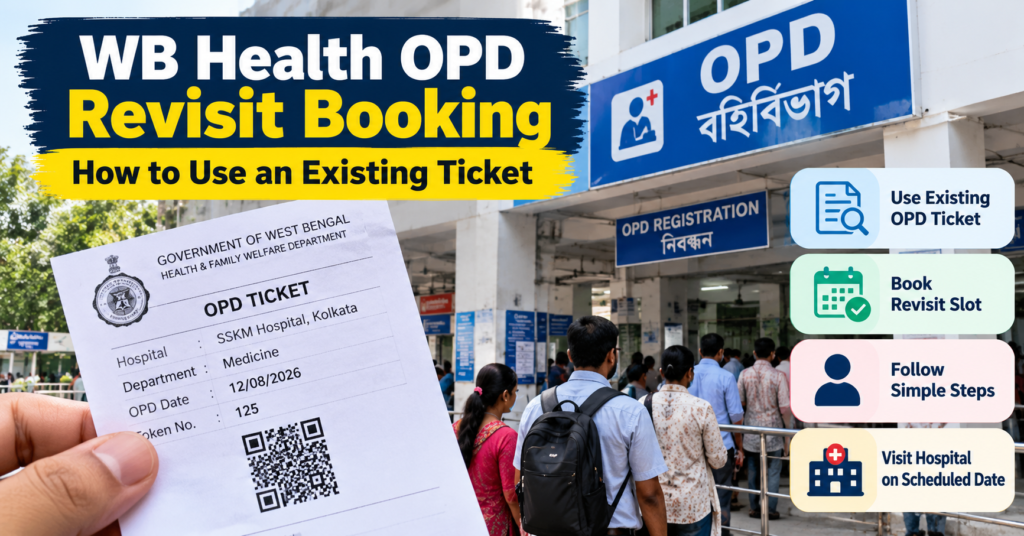
If you are returning to a West Bengal government hospital for another OPD visit, you may see a “Scan your OPD Ticket for Revisit” option on the WB Health online booking form.
This option is meant for a new return visit linked to an existing OPD ticket, not simply for downloading or printing the same ticket again.
Before starting, check whether the revisit option is available for the hospital you selected, because the booking flow can differ between facilities.
The key distinction is simple:
Need another copy of the old ticket → use the ticket download/reprint option
Need to book a fresh return visit → use the revisit option, where available
This guide explains how WB Health OPD revisit booking works, how to use an existing ticket, what the scan option means, when it should be used, and what to do if the revisit option is not available for your hospital.
On this pageJump to a section of this patient guide
WB Health OPD Revisit, New Booking and Ticket Reprint: What Is the Difference?
Before using the WB Health OPD portal, first identify what you actually need.
A revisit booking, new OPD booking and ticket reprint are three different actions.
| What You Need | When to Use It |
|---|---|
| Revisit Booking | You are returning for another OPD visit and the selected hospital provides the revisit option |
| New Booking | The patient needs a fresh OPD registration and does not have an existing ticket to use for revisit |
| Ticket Reprint | The appointment already exists and you only need another copy of the issued ticket |
The important distinction is:
New return visit → Revisit Booking
Fresh patient visit → New Booking
Lost old PDF or printout → Ticket Reprint
If your appointment is already booked and you only need another copy, use the WB Health OPD Ticket Download and Reprint Guide.
Reprinting the old ticket does not create a new OPD appointment.
How to Book a WB Health OPD Revisit
Start from the official West Bengal online OPD booking system:
West Bengal Online Ticket Booking Portal
Then follow the options displayed for your hospital.
Step 1: Open Online Ticket Booking.
Enter the official portal and choose the online OPD ticket-booking service.
Step 2: Select the correct hospital.
Choose the same hospital where the patient was previously registered or treated.
This matters because the available booking options can change according to the hospital selected.
Step 3: Look for “Scan your OPD Ticket for Revisit.”
If the revisit facility is available, select it.
Use the earlier OPD ticket belonging to the same patient.
Depending on the form, the portal may offer a camera-based scan or another way to present the ticket information. Follow the option shown on your screen rather than assuming that every hospital uses exactly the same scanning process.
Step 4: Complete the patient details requested on the form.
Enter the information carefully and make sure it belongs to the same patient whose previous ticket is being used.
Depending on the hospital and booking flow, the form may ask for details such as:
- patient name
- gender
- mobile number
- year of birth
- other registration information
Complete only the information actually requested.
Step 5: Check the department and visit details.
If you are asked to choose a department or date, make sure the selection matches the follow-up requirement.
Do not choose an unrelated department simply because it has an earlier available date.
Step 6: Complete verification and submit.
Finish any OTP, captcha, confirmation or other verification shown on the page.
Step 7: Check whether a new revisit ticket has been generated.
Do not assume the revisit is booked merely because the previous ticket scanned successfully.
Wait for the final confirmation.
If a new ticket is issued, check:
- hospital name
- patient details
- department
- visit date
- any reporting instructions
Then save the latest ticket on your phone and keep a backup copy if needed.
What If the WB Health Revisit Option Is Not Showing?
Not every hospital form necessarily displays the “Scan your OPD Ticket for Revisit” option.
If you cannot see it:
First, check the hospital selection.
Make sure you selected the hospital where the previous OPD registration was made.
Next, check the available booking options.
The hospital may provide another route for returning patients.
Do not force the process using another hospital or unrelated booking category.
If the portal still does not provide a revisit option, follow the hospital’s current registration instructions or contact the hospital through its official channel.
The absence of a revisit button does not automatically mean that returning patients cannot attend. It only means that the revisit workflow may not be available through that particular online form.
What If the Previous OPD Ticket Will Not Scan?
A scan problem does not always mean the ticket is invalid.
First check whether:
- you are using the correct patient’s ticket
- the ticket is clearly visible
- the barcode or QR area is not damaged or blurred
- the image is not heavily cropped
- lighting or screen glare is interfering with the scan
If you are scanning from another phone or computer screen, increase the brightness and keep the full ticket visible.
If the portal still does not recognise the ticket:
- do not edit the ticket
- do not use another patient’s ticket
- do not repeatedly submit incorrect details
- do not upload the ticket to an unofficial website
Return to the booking form and use any alternative option displayed, or ask the hospital how returning patients should register.
How to Know Whether the Revisit Booking Is Successful
A scanned old OPD ticket is only part of the process.
The revisit should be treated as complete only when the portal shows a successful result such as:
- booking confirmation
- new OPD ticket
- registration/reference number
- confirmed visit date
Before closing the page, verify the details carefully.
If the page only scans the earlier ticket but does not generate a new visit confirmation, do not assume that your next OPD appointment has been booked.
What to Carry for a WB Health OPD Follow-Up Visit
After completing a WB Health OPD revisit booking, keep the documents related to both the new visit and the earlier consultation together.
Carry:
- new revisit OPD ticket
- earlier OPD ticket, if available
- previous prescription
- follow-up or return-date note
- investigation reports requested by the doctor
- discharge summary or treatment records, where relevant
- any other documents specifically requested by the hospital or department
If the doctor has written a particular return date, department or follow-up instruction, follow that guidance even if the online booking form shows other available options.
The portal helps with OPD registration, but it does not replace the clinical instructions given during the previous consultation.
Also remember that an online OPD ticket does not guarantee consultation at an exact clock time.
Depending on the hospital, patients may still need to:
- report at a registration or verification counter
- confirm the department
- join the OPD queue
- show the earlier prescription or follow-up note
- complete any hospital-specific process before consultation
For this reason, reaching the hospital with enough time before the OPD session is more practical than treating the online ticket like a fixed-time private appointment.
Frequently Asked Questions About WB Health OPD Revisit Booking
Is WB Health OPD revisit booking the same as reprinting an old ticket?
No.
A revisit booking creates or arranges a new return visit when that option is available.
A ticket reprint only gives you another copy of an already issued OPD ticket.
Can I use the revisit option at every West Bengal government hospital?
Not necessarily.
The revisit option can depend on the hospital selected in the online booking form.
If “Scan your OPD Ticket for Revisit” does not appear, check the other booking options available for that hospital instead of assuming the same workflow applies everywhere.
Does scanning the old OPD ticket automatically book the revisit?
No.
Scanning the earlier ticket is only one part of the process.
Complete the remaining form and wait for a successful confirmation, new OPD ticket or reference number before treating the revisit as booked.
Can I use any previous WB Health OPD ticket for revisit booking?
Use the previous ticket belonging to the same patient and relevant hospital visit.
Do not use another person’s ticket or alter an old ticket simply to make the scan work.
What should I do if the doctor gave a specific follow-up date?
Follow the hospital or treating department’s instruction.
The online registration system does not override a specific return-date or department instruction given during treatment.
What if I only need another copy of my old OPD ticket?
Use the ticket download or reprint facility rather than the revisit option.
You can also follow the WB Health OPD Ticket Download and Reprint Guide.
A reprint does not create a new appointment.
What should I do if the previous OPD ticket does not scan?
Check that the correct ticket is clearly visible and that any barcode or QR area is readable.
If it still does not work, use another option provided on the hospital form or contact the hospital for the correct returning-patient process.
Do not upload the ticket to an unofficial website.
Can I book a WB Health OPD revisit from a mobile phone?
The online portal can be opened in a mobile browser.
The exact revisit steps depend on the form displayed after selecting the hospital, including any camera or ticket-scanning option provided there.
Do I need to carry the old prescription for a follow-up visit?
It is useful to carry the previous prescription or follow-up note, particularly when the doctor has recorded a return date, tests, medicines or department instructions.
Also bring any reports specifically requested for the next consultation.
Check WB Health OPD Revisit Availability Before You Travel
Before finalising a return visit, open the:
West Bengal Online Ticket Booking Portal
Select the correct hospital and check whether the revisit option is currently available.
For a smooth follow-up visit, make sure you have:
correct hospital → correct patient → previous ticket → revisit confirmation → correct department/date → required medical records
If the revisit option is not shown, do not force the process through another hospital or unrelated booking category. Use the registration route currently available for that hospital or confirm the correct procedure directly with the facility.
For More information, please visit: https://wbopdticketguide.com/